ELEGOO Resin Printer Exhaust Port: What It Does and How to Use It
If you've noticed the round port on the back of your ELEGOO printer, you've probably already seen the small carbon filter cartridge that attaches to it. Most people don't think much more about it. That's worth changing — because understanding what the exhaust port is and what it can do is the first step toward real ventilation.
What the Exhaust Port Is
The exhaust port on ELEGOO resin printers is a standardized circular opening on the rear panel designed to allow airflow to exit the printer body. Most ELEGOO printers with an enclosed build chamber have one.
By default, ELEGOO ships these printers with a carbon filter cartridge attached to the exhaust port. The filter draws air from inside the printer, passes it through activated carbon to capture some VOC compounds, and releases it back into the room. The intent is odor reduction.
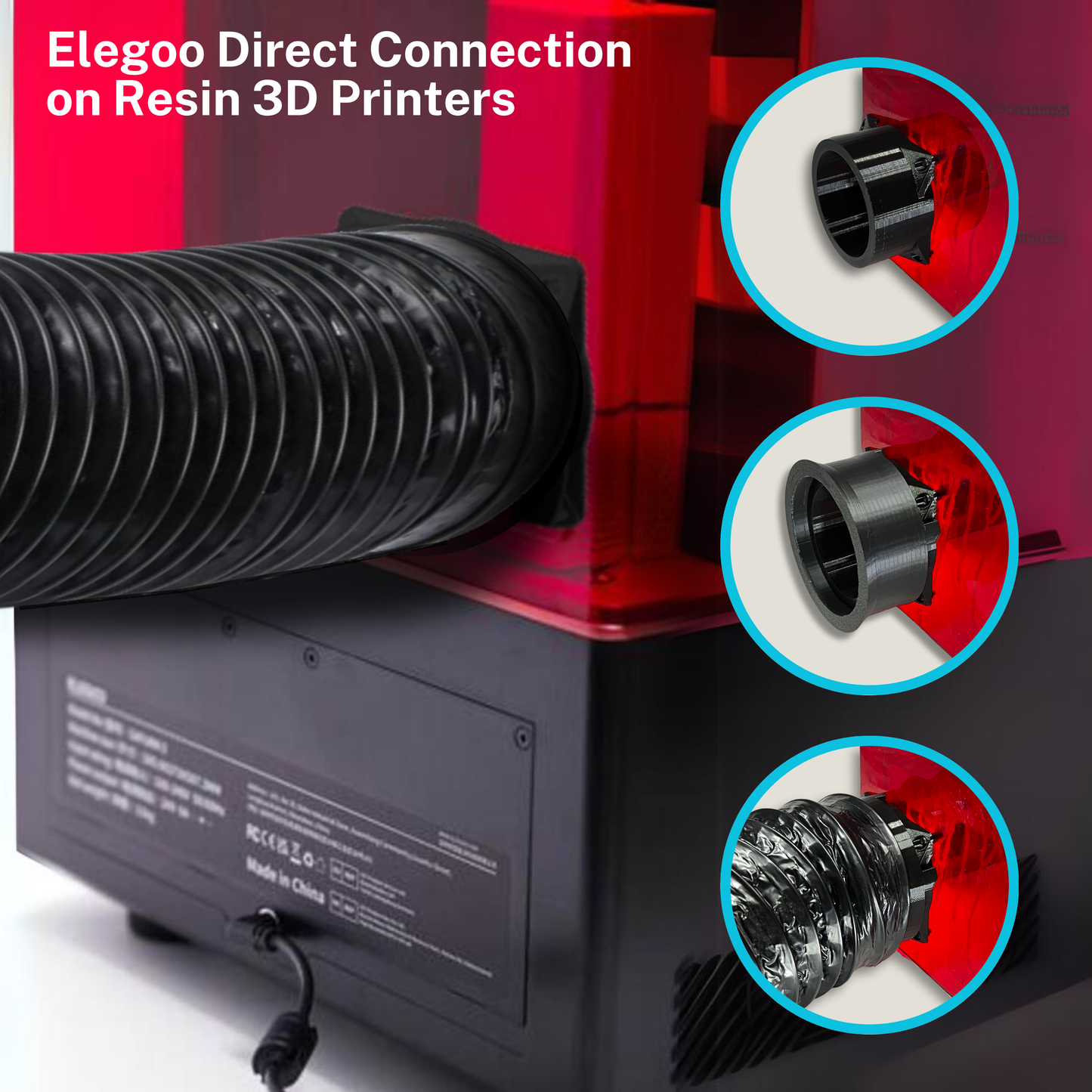
The port itself, however, is just an opening — it doesn't care what connects to it. This matters because the same port that accepts the carbon filter cartridge also accepts a duct hose connection, which is how you use it for direct exhaust ventilation.
Which ELEGOO Printers Have an Exhaust Port
The following ELEGOO printers have a dedicated exhaust port on the back panel:
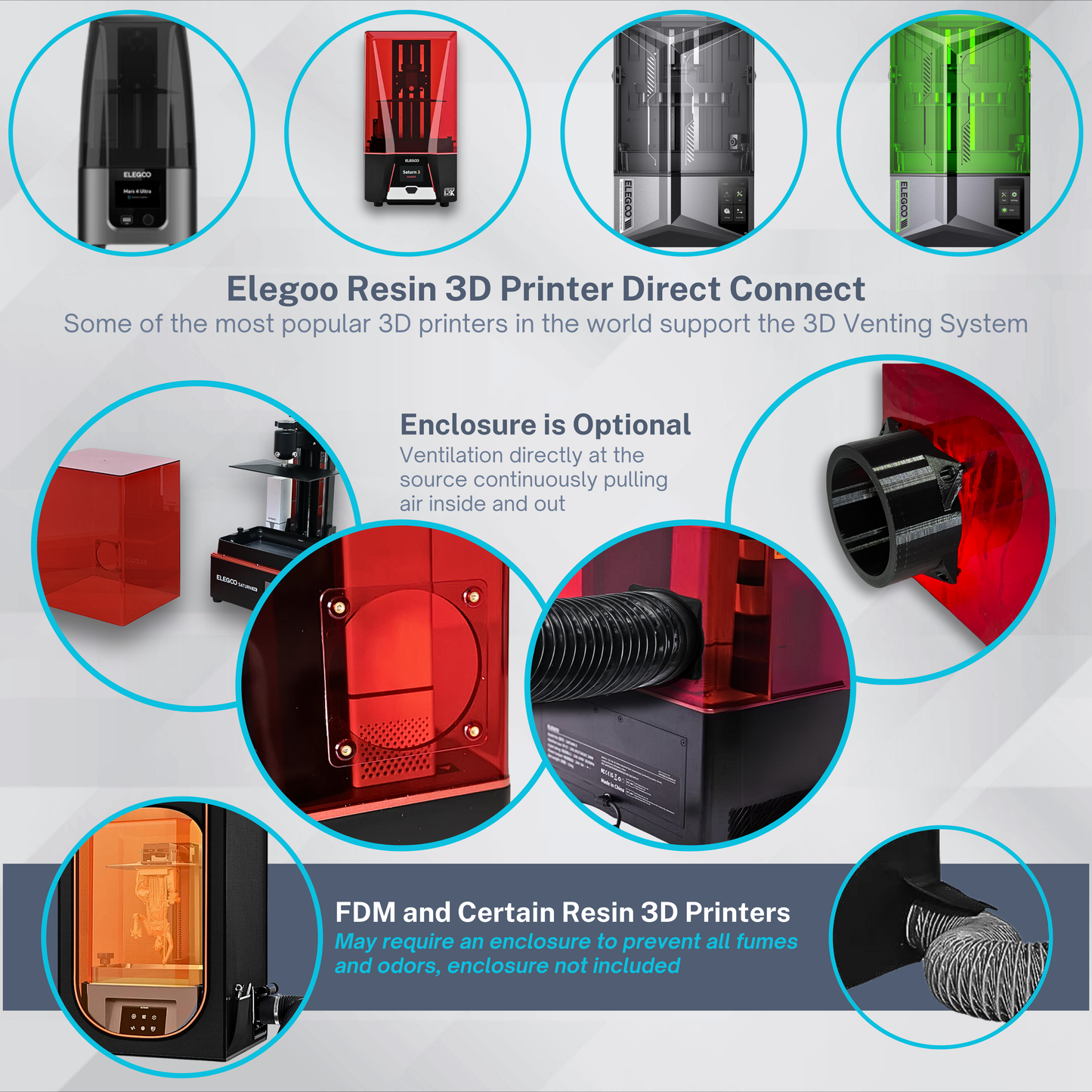
- Mars series: Mars 4 DLP, Mars 4 MAX, Mars 5, Mars 5 Ultra
- Saturn series: Saturn 8K, Saturn 2, Saturn 3 Series, Saturn 4 Series, Saturn 4 Ultra, Saturn 4 Ultra 16K
- Jupiter series: Jupiter, Jupiter SE, Jupiter 2
These printers support a direct duct connection to the exhaust port without requiring any enclosure modification.
Why the Built-In Carbon Filter Has Limits
Recirculation: The filter draws air out of the printer body, filters it, and releases it back into the room. The VOCs that the carbon doesn't capture return to your breathing space. Direct exhaust ventilation removes air from the room entirely.
Saturation: Activated carbon adsorbs VOCs until it reaches capacity. Once saturated, the filter passes compounds through without capturing them. Most consumer filters have no saturation indicator. If your filter is more than a few weeks old and you've been printing regularly, it may be providing very little protection.
Limited capture: Carbon filters don't capture all VOC species equally. VOC emissions from resin printers include 30 to over 100 individual compounds (ACS Chemical Health & Safety, 2022) — activated carbon is not uniformly effective across all of them.
Independent testing by 3D Venting measured TVOC at 1.887 mg/m³ in a closed room shortly after starting a print — six times the WHO's comfort threshold — while the built-in filter was in operation.
How to Use the Exhaust Port for Direct Ventilation
- Remove the carbon filter cartridge from the exhaust port
- Attach an exhaust port adapter (sized to connect the port to your duct hose diameter)
- Connect flexible duct hose — 3" for 80mm fan systems, 4" for 120mm
- Run the duct to a window vent or exterior outlet
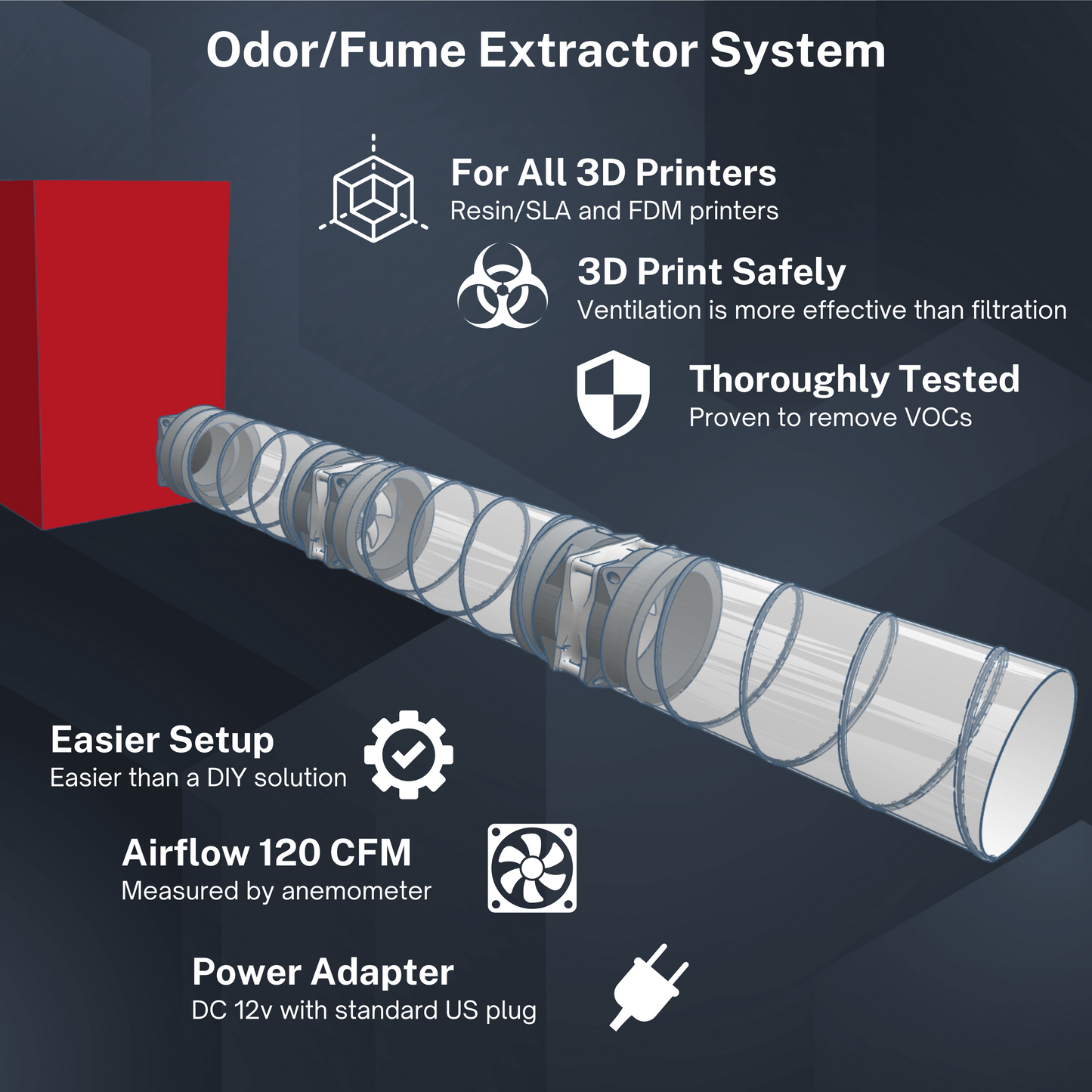
- Place an inline fan somewhere in the duct run to create airflow
The fan creates negative pressure inside the printer, drawing air through the duct and out the window. Because the printer body isn't perfectly sealed, fresh air enters around the lid, seams, and FEP tank area — keeping the air moving continuously.
Leave a window cracked in the print room so fresh air can replace what's being exhausted. Without makeup air, the fan works against itself and airflow drops.
Fan Sizing
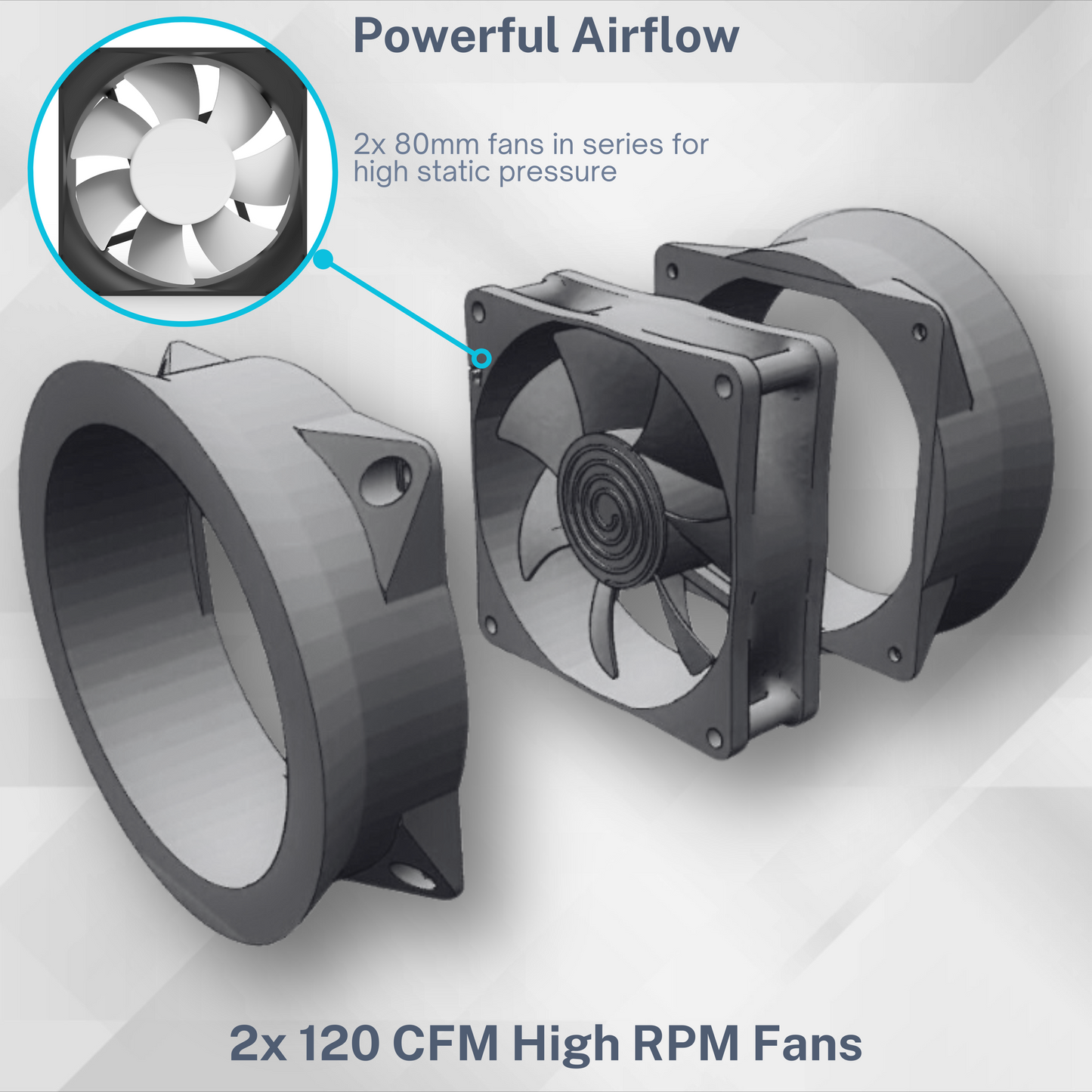
For most single-printer home setups, an 80mm inline fan moving 80–120 CFM provides effective extraction. The 3D Venting VENT80 runs dual 80mm fans for 120 CFM total.
For larger print volumes or the bigger Saturn/Jupiter models, a 120mm system (200–250 CFM) gives more headroom. The VENT120 runs dual 120mm fans for 250 CFM, achieving 60+ air changes per minute inside the printer body.
Getting the Parts
Free DIY option: The adapter and fan bracket STL files are free on the 3D Venting Cults3D page. Print in PETG or ABS. You'll need to source your own fan(s) and duct hose — total cost is roughly $40–60.
Complete kits: The VENT80 ($79.95) and VENT120 ($99.95) at 3dventing.com include dual fans, 8 feet of duct hose, an ELEGOO-specific exhaust port adapter, and a speed controller. Everything is designed and tested together for ELEGOO printers. Ships from Charlottesville, VA with a 180-day guarantee.
One Note on Safety Practices
The exhaust port connection takes care of ventilation during the print and immediately after. The two other high-exposure moments still require separate precautions:
- IPA washing — the highest TVOC exposure stage (measured up to 36.8 mg/m³ by NIOSH). Use a respirator rated for organic vapors and nitrile gloves. Do this in a ventilated area.
- After printing — wait at least 24 hours before re-entering the print room. VOC off-gassing continues after the printer shuts off.
More detail on all of this is on the 3D Venting research page, which compiles NIOSH, ACS, WHO, and INRS sources in one place.